Principles
What does it mean for an interface to think?
Imagine you’re writing an email about an extra movie ticket. Gmail’s Smart Compose suggests the next sentence: “Do you want to go?” Press Tab, and it’s there. Keep typing, and it gets out of the way.
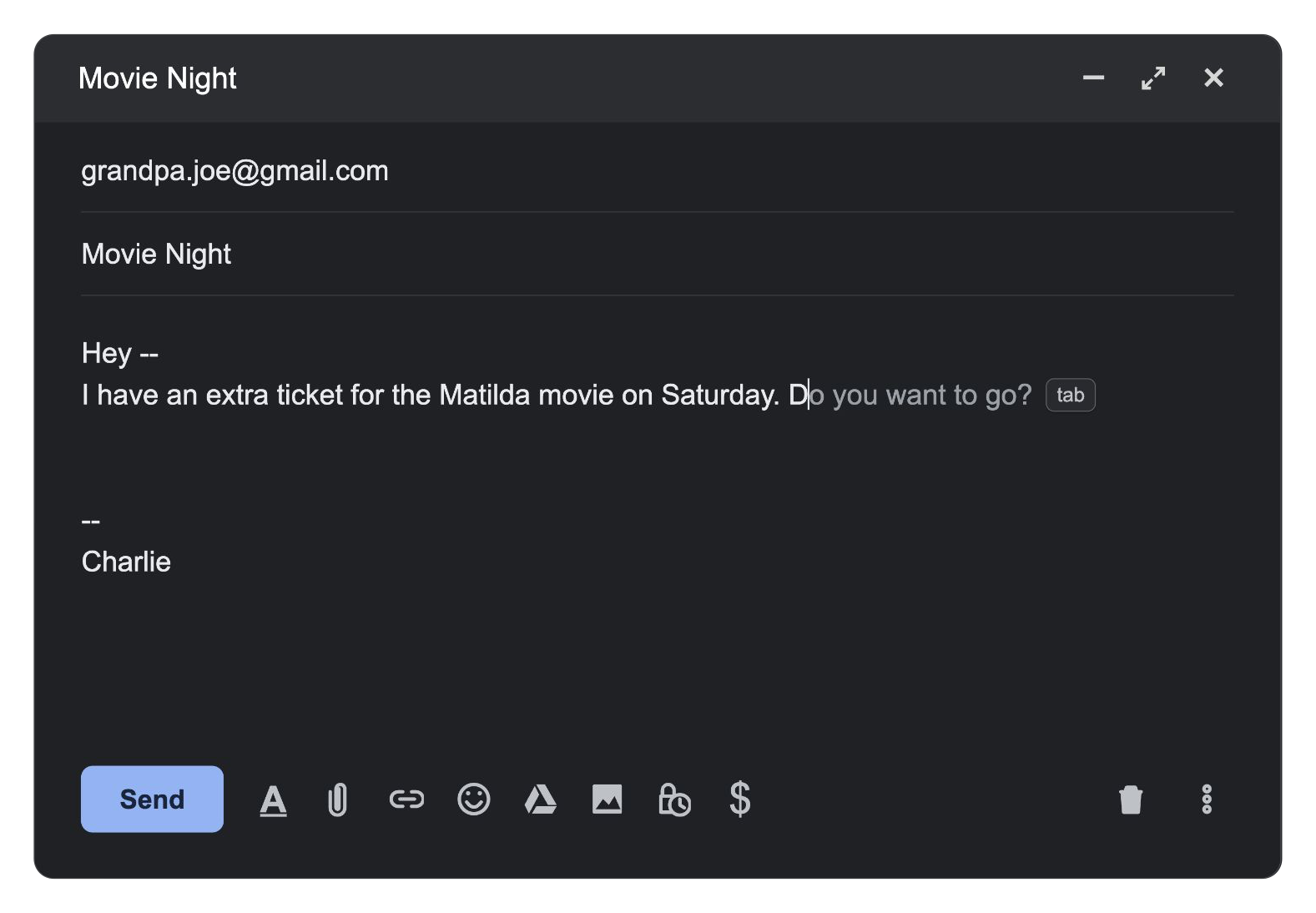
The text field has become an active participant. It uses what you’re writing to offer a useful next step, right where you need it. That’s what I mean by an interface that thinks.
Suggesting a few words is a start. A document could leave a note beside a passage because it matters to the question you’re trying to answer. A toolbar could offer an action suited to what you’ve selected.
Smart Compose offers a glimpse into a future where interfaces adapt to you and what you’re trying to do. These four principles are my attempt at a framework for better understanding this future where interfaces think.
1 — Timely
An interface that thinks is one that is timely about when it offers its help. It shows up where your attention already is, while there’s still a useful decision to make.
A good suggestion delivered after you’ve moved on is just another interruption.
Smart Compose suggests words at your cursor, while you’re still deciding what to write.
2 — Proactive
An interface that thinks is one that is proactive about what you might need next, anticipating what you’d already want to do. It uses what you’re actively doing and what it knows about you to offer a useful next step before you have to ask.
In Gmail, writing is enough to invite a suggestion. You don’t have to ask.
3 — Personalized
An interface that thinks is one that is personalized to how you work and who you are in the very moment. Perhaps even how you’re feeling. It takes your preferences, habits, and current goal into account when deciding what to offer.
With personalization enabled, Smart Compose tailors suggestions to your writing style, helping you sound like yourself.
4 — Collaborative
An interface that thinks is one that is collaborative in how it helps you get there. It contributes something you can accept, change, or ignore while keeping you in control. Otherwise, it’s not an interface, it’s an autonomous action done without your involvement.
With Smart Compose, Tab accepts the suggestion; typing ignores it. A wrong guess is easy to move past.
So much more to explore
Not every part of an interface needs to think. Save should still save. Undo should still undo. Those predictable parts give you the confidence to act without checking every step.
But an interface that thinks can do more than wait for you to find the right control. It can bring a capability into view when it becomes useful, even if you didn’t know to look for it. A product can become more capable without asking you to learn a new workflow for every feature.
In this series, through prototypes in text, hardware, and imagery, I’ll use these four principles to explore where an interface can contribute more. I used Smart Compose as an example because it’s simple and relatable. Yet, there’s still so much more to explore. What else could an interface offer if it understood what you were trying to do?